Hear the Difference
Choose a demo that matches how you play.
How Hoopi Works
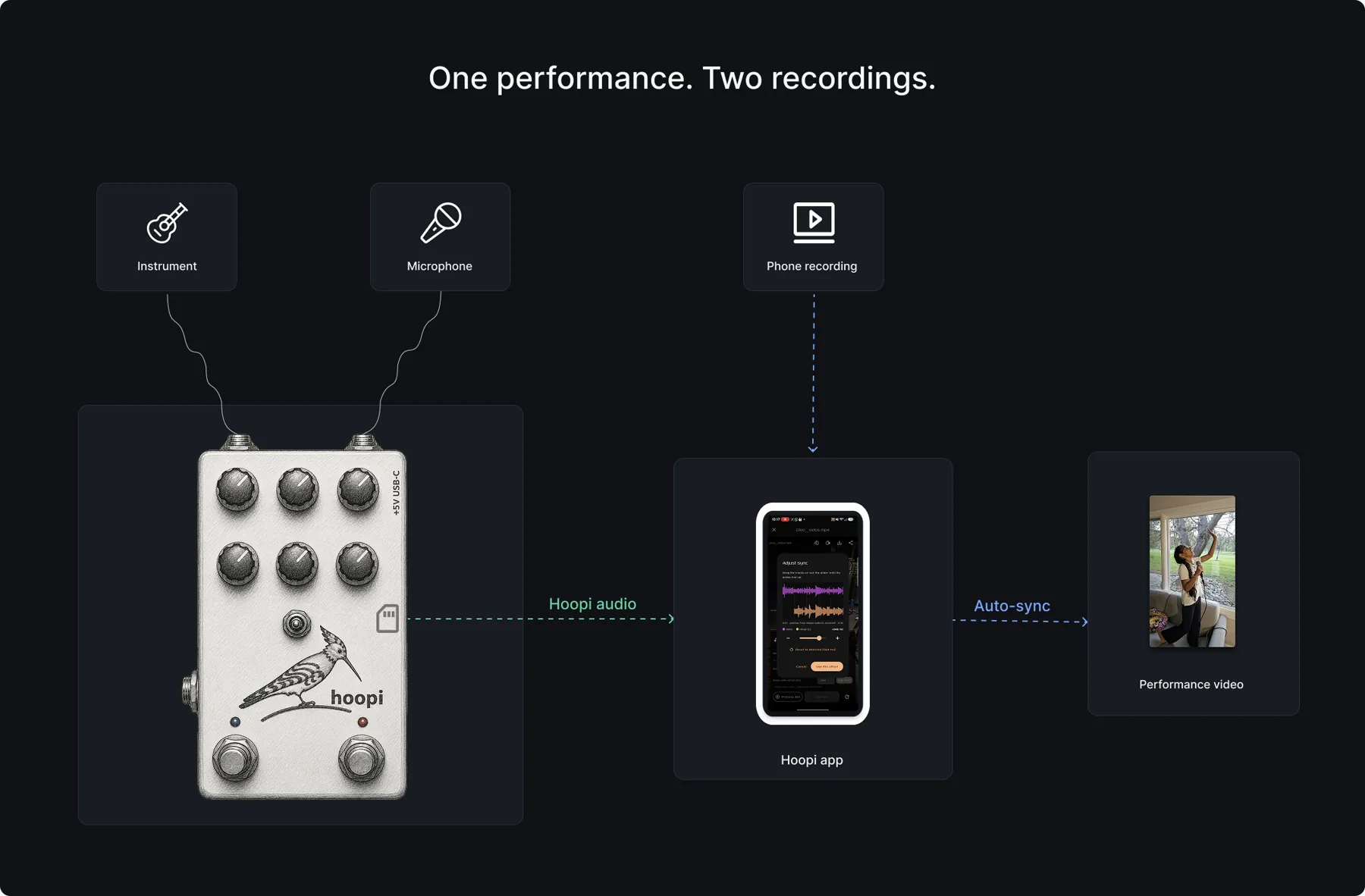
Spend less time recording. More time playing.
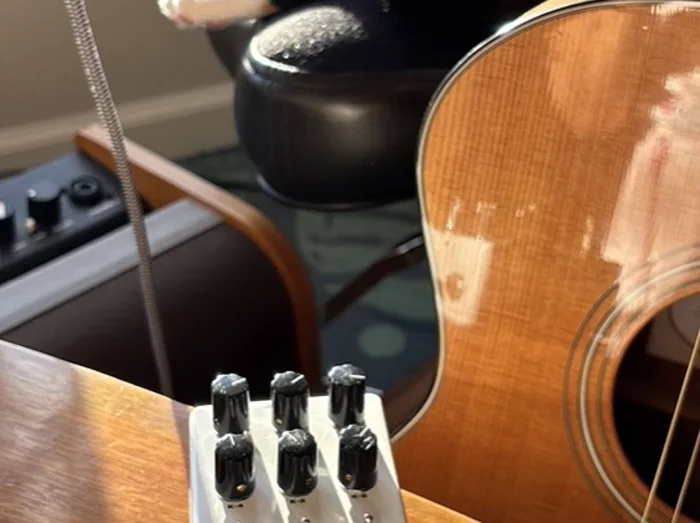
Less setup. More music.
Stop spending time configuring interfaces, DAWs and recording software.
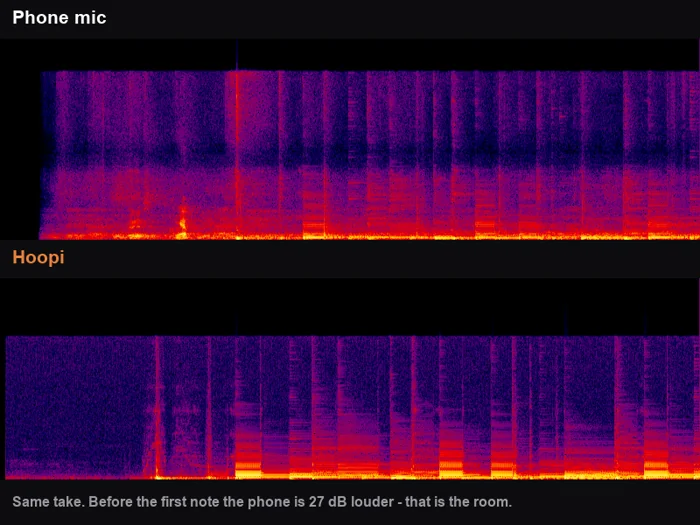
Sound the way you played it.
Capture the performance with studio-quality audio while filming on your phone.
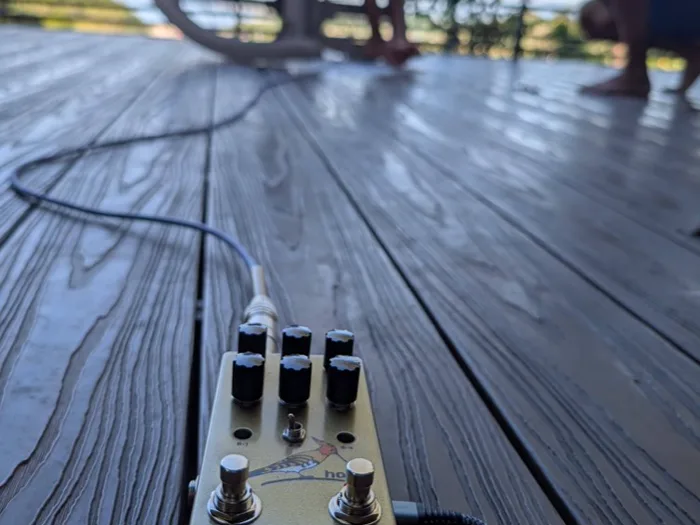
Record anywhere.
No laptop required. Just your instrument, microphone, Hoopi and your phone.
What's inside?
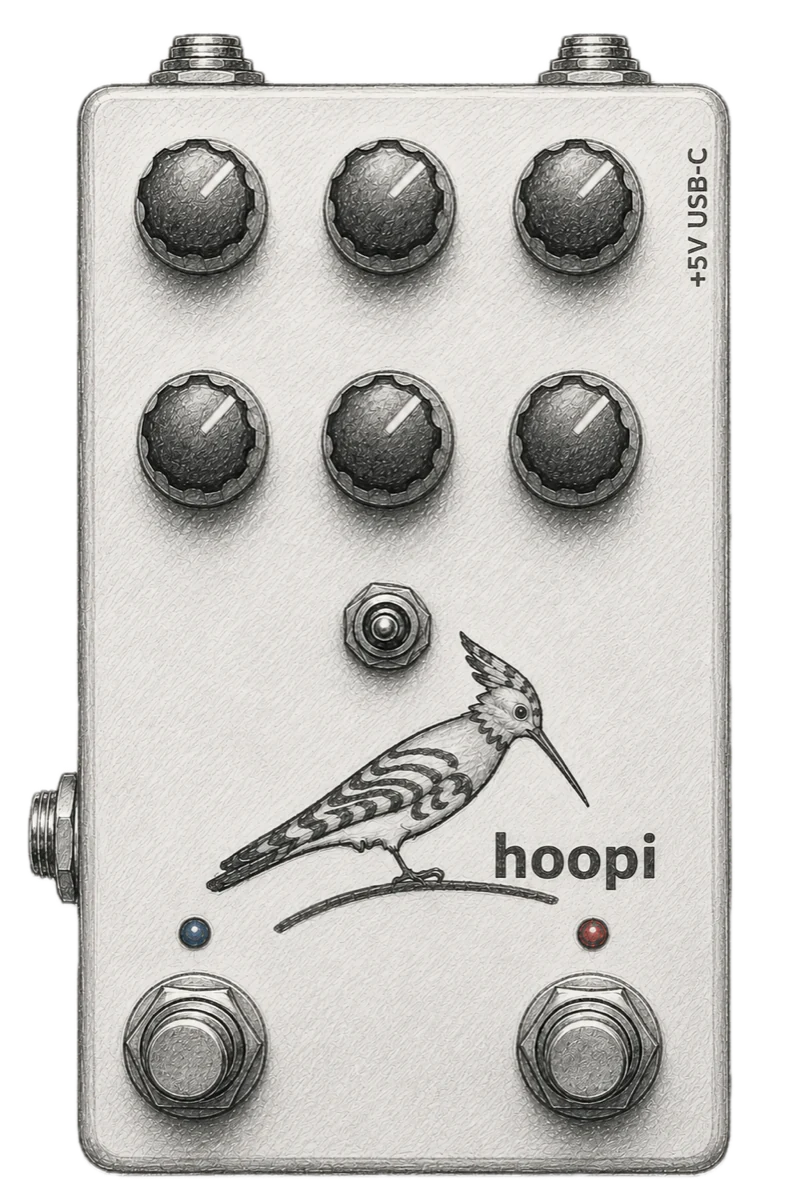
- 1Guitar / instrument input
- 2Microphone input
- AppPhantom power
- 3Output
- 4Guitar effects
- 4Vocal reverb
- 4Noise filter, compression and mono/stereo output
- 5Footswitchable effect bypass
- 6Built-in high fidelity recording to microSD
- AppBacking track playback from microSD
- AppAutomatic audio/video sync
Frequently Asked Questions
Does the video have to be from the Hoopi app?
No. Record in the app if you like, but any video of the same performance works just as well — one from your normal camera app, a second angle, or a clip someone in the audience shot and sent you. The app matches the Hoopi recording against the video's own audio to find the offset, so the only requirement is that both captured the same moment and the video has sound to match against.
Is it only for guitar?
No. The instrument input takes anything with a pickup or a line-level output — synths, keys, electric violin, a drum machine, or the output of a mixer if you want a whole band. The effects are voiced for guitar because that's the common case, but the recording side doesn't care what you plug into it.
Why not just use my phone?
Phone microphones are convenient, but they rarely capture the sound you actually hear while performing.
Why not record into a DAW?
You certainly can. Hoopi is designed for musicians who want a much faster workflow without a laptop.
Does it work without the app?
Yes. Press the footswitch and record directly to the pedal. Use the app later to download recordings and auto-sync them with your phone video.
Where do I get the app?
The Hoopi companion app is out now on both stores — it downloads recordings from the pedal, syncs them to your video, and switches phantom power and backing tracks. The sync also works on its own: point it at any video and any separate audio of the same moment and it lines them up, no pedal needed. It's free, so it's an easy way to see the syncing work before the pedal ships.

Google Play and the Google Play logo are trademarks of Google LLC.
How was Hoopi built?
We write up the engineering as we go — ESP32 firmware, DSP audio processing, UART protocol design, and the cross-correlation that makes auto-sync work.
150 subscribers to launch
We built Hoopi because we kept losing ideas while setting up interfaces, DAWs and cameras.
Hoopi needs 150 subscribers on Crowd Supply before the campaign can go live. Subscribing is free, takes a second, and is what gets the pedal made.
45 of 150 subscribers — 105 to go
Questions, feedback, or something you'd want Hoopi to do? Write to prince@scopecreeplabs.com.